
AI game generator for playable browser games
Use OpenGame to generate, edit, preview, and download HTML5 or 3D browser game projects from a prompt. Start with quick demos, then build in Studio and publish or share the result.
Default priority now starts with ChatGPT, then GLM. DeepSeek and SeedCode remain available on our managed AI stack—always review games before publishing.
Featured games worth playing
Two standout demos you can play instantly and remix with the original prompts.
Sign in to unlock · no credits
High-fidelity Three.js scene with time-of-day, fog, water shader, traffic, ships, and birds. Designed for smooth ~60 FPS.
Read article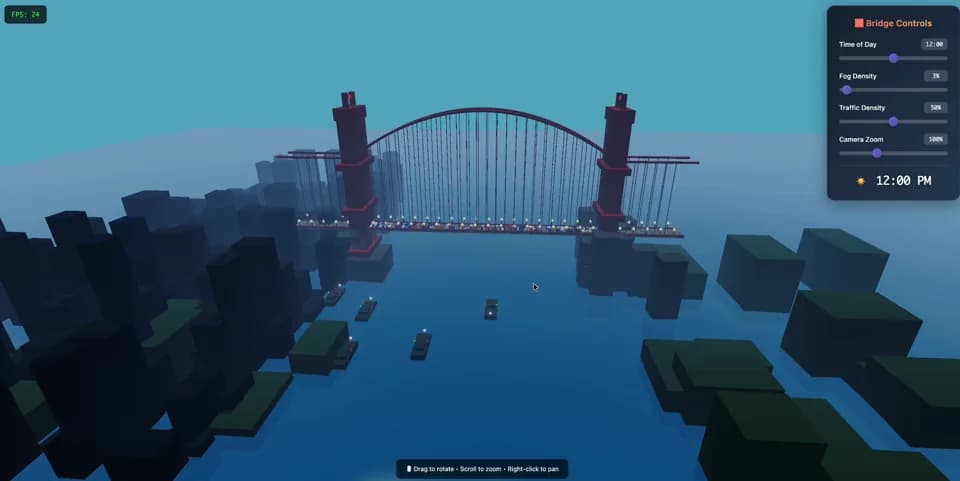
A polished side-scroller vibe: neon night city mood, parallax layers, enemy patterns, and power-up forms.
Read article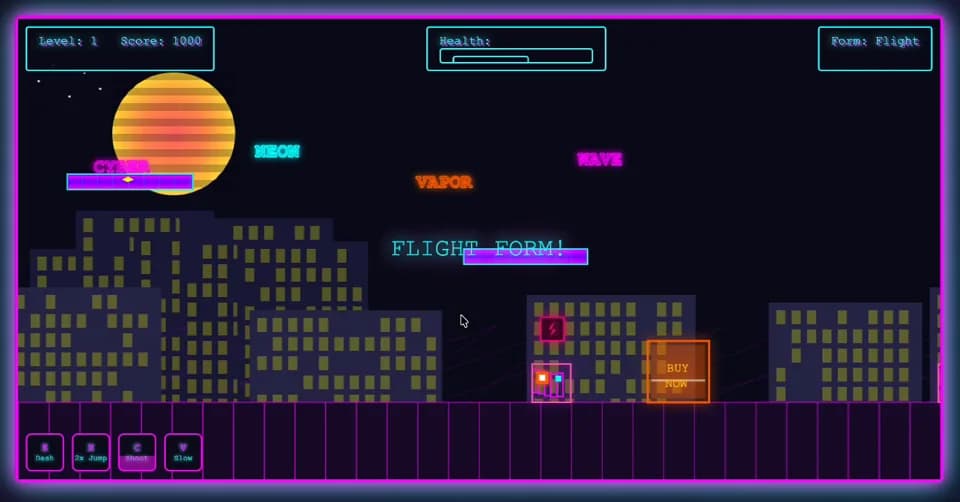
Game types that convert
Pick a type, play the demo, then generate your own variant in minutes.


Play demos → Choose workflow → Build in OpenGame Studio
The AI game generator now has two clear build paths: Quick HTML for a single-file prototype, and Game Bundle Beta for a complete OpenGame Studio project package.
- Play featured 2D/3D demos without signing in
- Use Random Remix after sign in (prebuilt demo, no credits)
- Copy or remix prompts into the generator when you find a direction
- Quick HTML: 40 credits for a single-file prototype
- 3D Game Bundle Beta: 40 credits for a multi-file Studio package during early access
- Regular 3D Game Bundle price is planned at 80 credits after beta
Choose a provider; the model switches automatically.
Choose a preset to test instantly — no sign-in required
Generation usually takes 1–2 minutes. Please keep this page open while we build your game.
Presets play instantly without signing in. Sign in to unlock Random Remix demos (no credits). Custom AI generation costs 40 credits per game.
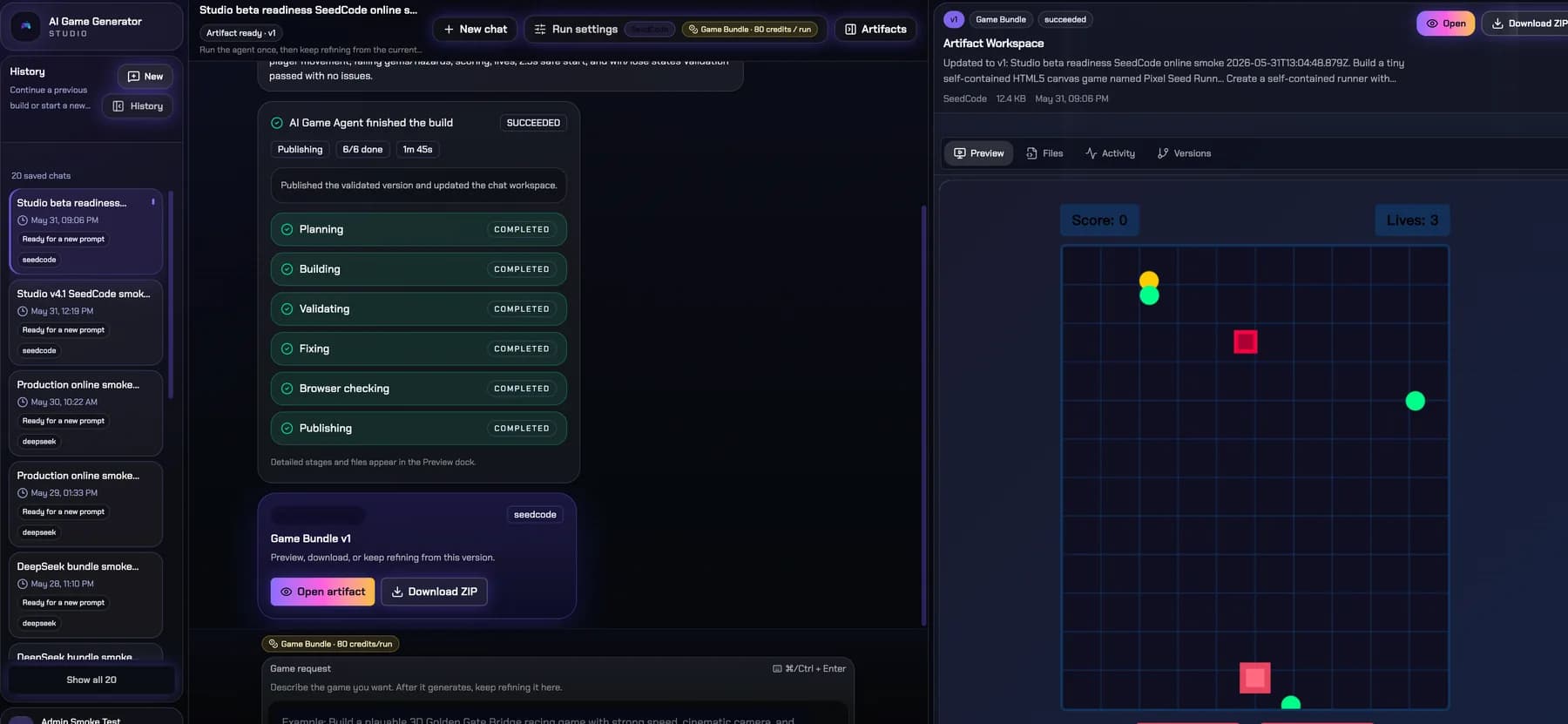
Use 3D Game Bundle Beta for voxel, racing, RPG, simulation, and browser-friendly 3D ideas. It creates a multi-file game package with browser preview, fallback checks, ZIP download, files, versions, and continued editing in the same Studio chat.
Community games you can remix
Play what others built, read the prompt, then remix into your own version.
dragon life

What you can build with AI Game Generator
OpenGame keeps the AI Game Generator keyword path while turning the product into a maker workflow: use Quick HTML for a fast single-file game, or open Studio for agent-guided 3D browser-game bundles you can preview, fix, and download.
Quick HTML games
Use the homepage generator when you need a lightweight HTML5 game from one prompt, ready to play in the browser and share.
Studio Agent projects
Open Studio Beta for the chat-style Agent flow: prompt, build, preview, fix, and download a project bundle.
Prebuilt game templates
Start from platformer, shooter, puzzle, racing, arcade, and strategy patterns instead of designing every mechanic from scratch.
3D-first experiments
Use 3D Game Bundle Beta for richer ideas such as voxel worlds, runners, RPG prototypes, simulations, and browser-friendly 3D scenes.
Benefits of running an AI game generator workflow
Keep the simple generator for quick tests, then move stronger ideas into OpenGame Studio when you need iteration, preview, files, and downloadable project bundles.
Create and ship with the AI game generator in four steps
Choose the right build path first, then use the AI game generator or OpenGame Studio to turn the idea into something playable.
Choose Quick HTML or Studio
Use Quick HTML for a simple browser game. Use 3D Game Bundle Beta when the idea needs a fuller 3D project package.
Describe the game clearly
Write the genre, controls, visual direction, win condition, and any required 2D or 3D behavior before generation starts.
Preview and fix the result
Play the output, check whether the mechanics make sense, then adjust the prompt or let Studio continue the iteration.
Download and collect winners
Keep the best HTML files or ZIP bundles, then use verified games as future homepage examples and product demos.
AI game generator features built for HTML5 success
Use the AI game generator to combine prompt tooling, asset controls, and monetisation-ready exports in one dashboard.
AI gameplay designer
Smart prompt enrichment inside the AI game generator creates balanced difficulty, scoring, and control schemes for your audience.
Prebuilt HTML5 library
Access a growing library of platformer, shooter, puzzle, racing, arcade, and strategy templates fine-tuned for the AI game generator.
Multilingual output
Generate instructions and UI text in English or Chinese automatically, matching the language you provide the AI game generator.
One-click exports
Download each AI game generator build as a single HTML file ready for hosting, embedding, or further editing.
Analytics friendly
Instrument events or connect Creem upsells using the integration helpers bundled with the AI game generator. Additional PSP integrations are planned.
Extend with React or Phaser
Use AI game generator output as a baseline and extend it with React, Phaser, or your favourite frontend framework.
Stay in the AI game generator loop
Receive occasional product updates and compliance notes from AI Game Generator. We never share your email, and you can unsubscribe anytime.
AI game generator FAQ
Need extra help with the AI game generator? Email [email protected] and we respond within 3 business days.
Still unsure? Contact us via [email protected] and we'll walk you through the current beta workflow.
Start with Quick HTML or build in OpenGame Studio
Quick HTML is the fastest way to test a game idea. OpenGame Studio is for fuller 3D projects with agent iteration, browser preview, fallback checks, and ZIP download. Both paths are 40 credits during early access.